

More control over what your workers submit
Following the launch of Custom Field Types in 2.24, release 2.25 builds on that foundation with two additions that give you more flexibility and tighter control over how workers complete their timesheets.
Release points
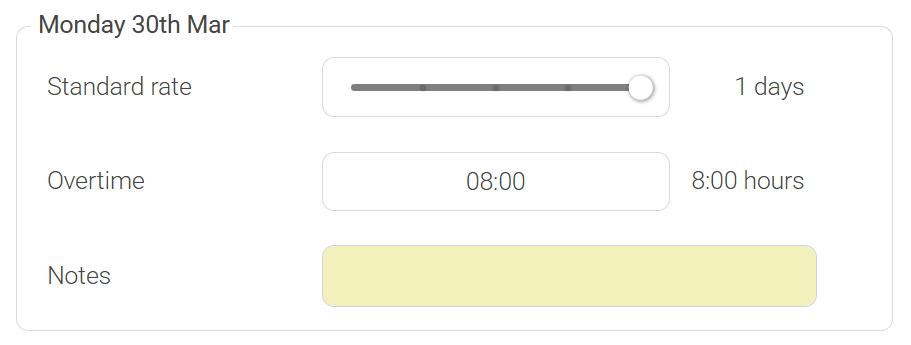
Notes as a CFT entry type
Previously, a notes section could be added to the bottom of a timesheet as a whole. That still works exactly as before.
What's new in 2.25 is that Notes is now available as an entry type when creating or editing a CFT. This means admins can set up a notes field that sits at the daily level rather than covering the whole timesheet.
This is useful when you need workers to record something specific to a particular day; a site they worked at, an incident worth flagging, or a task they completed, rather than a general comment about the week.
Maximum number of entries per day
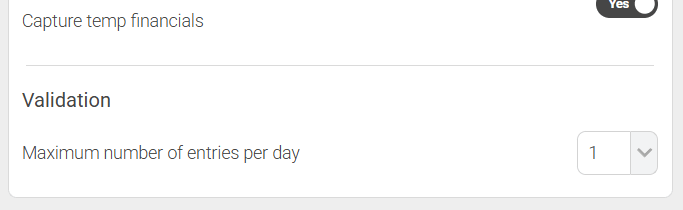
Every CFT now has a Maximum number of entries per day setting. We've defaulted this to 1 for all existing CFTs, so if you've not changed anything, you won't notice a difference for most setups.
Here's what it does and why it matters.
It prevents over-submission. If a worker should only record one entry of a given type per day (one set of standard hours, one sleep-in shift, one expenses claim) you can enforce that at the template level. Whether accidental or otherwise, submitting duplicate entries becomes impossible once the maximum is reached.
It keeps things tidy. When a CFT is already at its daily limit, the 'Add new row' button and the row dropdown (which appears on hover) no longer show for that field. Workers aren't presented with options that aren't available to them. The timesheet looks cleaner and is easier to complete.
For most agencies, the default of 1 will be exactly right. But if you have a CFT that legitimately needs to appear more than once in a day (multiple project codes, for example) you can increase the limit to suit, up to 99 per day.
What about existing CFTs?
Nothing has changed for existing setups. We've defaulted the maximum entries to 1 for all CFTs, which reflects how most agencies were already using them. If you need to adjust it, you can do so from the CFT settings.
Free 1-to-1 walkthrough sessions
If you'd like a hand working through what these changes mean for your setup, we're happy to run through it with you. As always, completely free.