

Overview
Here’s an example of how you might set up a timesheet for an IT contractor. In this case, the contractor wants to track billable client work separately from non-billable internal time.
By creating a separate CFT for each type of work, you can clearly distinguish what can be invoiced and what cannot.
Step 1: Create the Custom Field Types (CFTs)
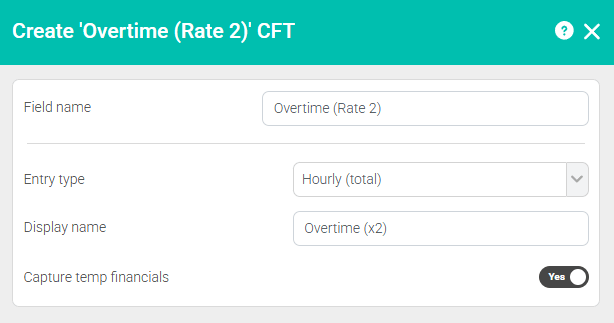
First, create the CFTs. For this example, we want to record two types of time:
- A day rate
- An hourly rate (total) for overtime
This is something that's quite popular for day rate contractors among our user base.
Step 2: Create the Timesheet Template
Step 2: Create the Timesheet Template
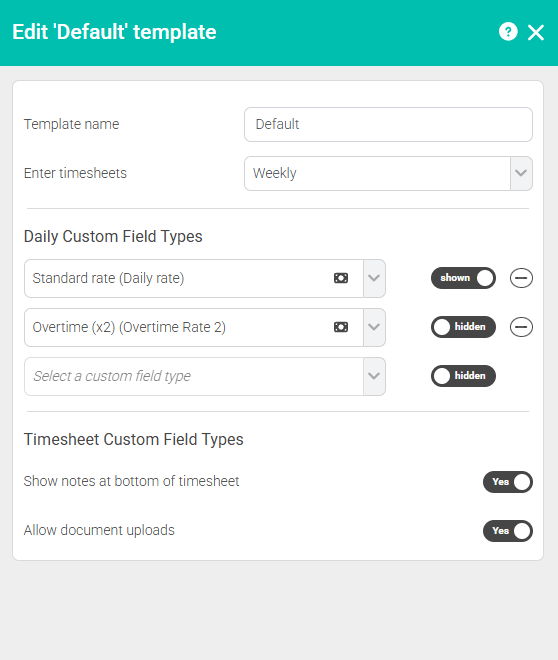
Now that the CFTs are set up, add them to a new Timesheet Template.
Choose a clear name that makes sense to both you and the worker. Something like “Default timesheet” works well.
When adding the CFTs:
- The order you add them is the order they will appear on the timesheet.
- You can choose whether each CFT is visible by default or hidden using the toggle on the right.
If a CFT is visible, the worker will always see it on their timesheet.
If it’s hidden, they can still add it by selecting “Add new row”, but it won’t appear automatically.
In this example, we'll make the Standard rate (shown as a sliding day rate) shown and the Overtime (x2) (shown as total hours) hidden.
Making this template a default
If most of your workers are drivers, you can set this template as the default. That way, any new worker added to the system will automatically be assigned to it. You can always change a worker’s template later if needed.
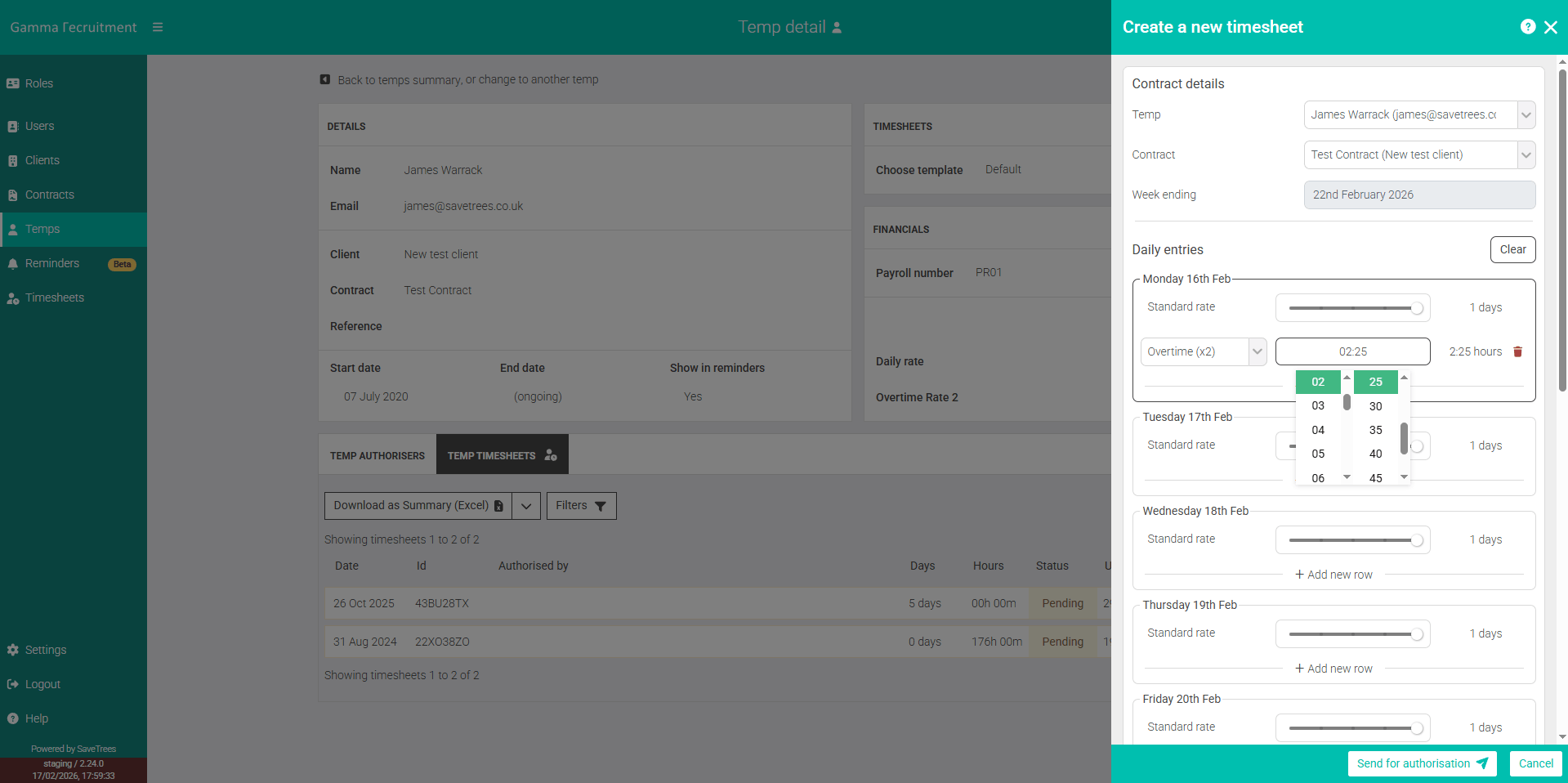
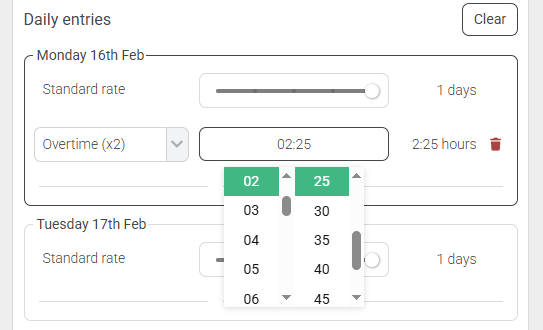
What it looks like for your worker
First, create the CFTs. For this example, we want to record two types of time:
- A day rate
- An hourly rate (total) for overtime
This is something that's quite popular for day rate contractors among our user base.
This help article was last updated on February 19, 2026
Think this page needs an update? Please let us know
If you have a question that hasn't been answered, please suggest a new help page here